Which version includes Apple Calendar connection?
Apple Calendar connection requires MyHouseKeep 1.2 or later. If Sync Apple Calendar is not in your calendar menu, check your installed version and available updates.

Your appointments are already there
Your dentist appointment is in iCloud. Your family plans are in MyHouseKeep. Connect the calendars you use and see the day together, without typing it all again.
Dentist appointment10:00 AM
Connect.
Choose what to share.
Alongside your household’s plans
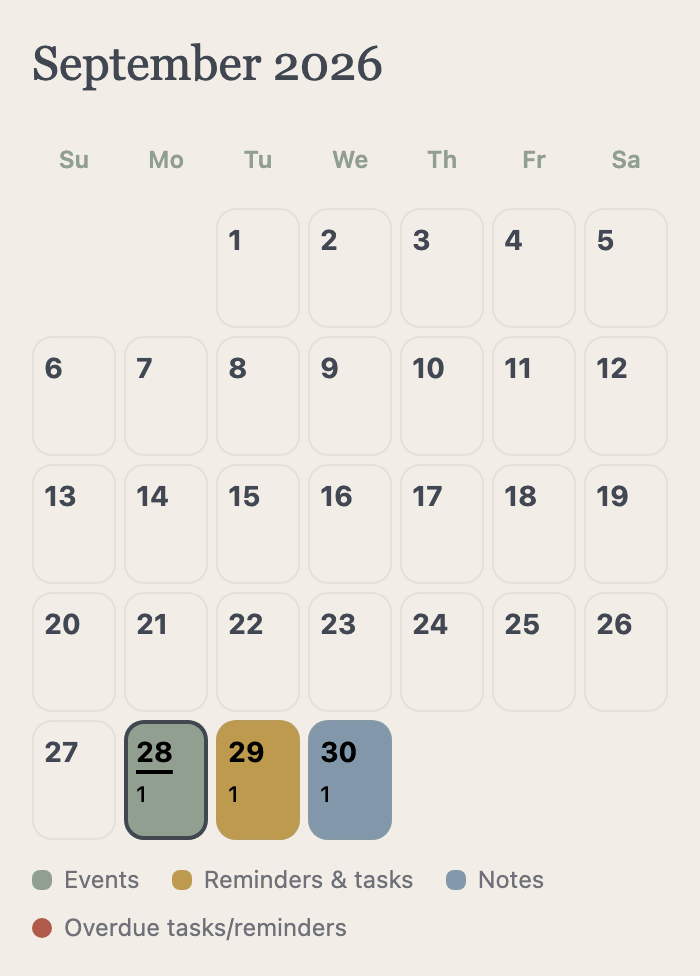
 Your choice, your household. Optional event sharing is prepared for the next app update.
Edit the original appointment in Apple Calendar. MyHouseKeep refreshes from your iPhone when changes are detected or you return to the app.
Choose once. Keep them in view.
In the calendar’s three-dot menu, choose Sync Apple Calendar. Allow access, select your calendars, and save. These are the actual setup screens.
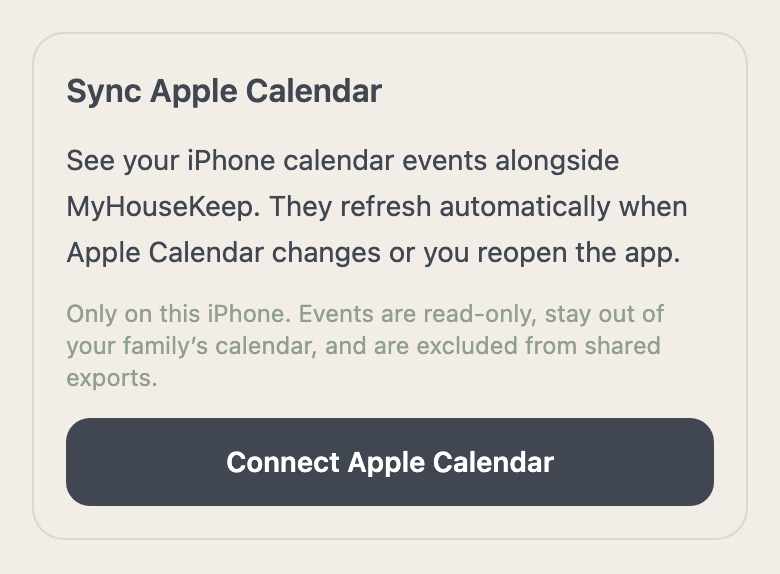
Open the calendar’s three-dot menu and choose Sync Apple Calendar. Tap Connect Apple Calendar, then allow access in the iPhone permission prompt.
Screen walkthrough; these controls do not access your calendar. Requires MyHouseKeep 1.2 or later.
Apple events stay personal by default. Optional household sharing is prepared for the next app update: choose individual events to make visible to your household, and stop sharing them whenever you choose. Until that update, connected Apple events appear only on your own iPhone.
Help with calendar access →Before you make yourself at home
Apple Calendar connection requires MyHouseKeep 1.2 or later. If Sync Apple Calendar is not in your calendar menu, check your installed version and available updates.
No. MyHouseKeep reads selected calendars from your iPhone. Continue editing those appointments in Apple Calendar; shared MyHouseKeep events are managed in MyHouseKeep.
No. Choose the calendars you want to display, and MyHouseKeep reads their events on your iPhone. You can keep updating the original appointments in Apple Calendar instead of entering them again.
Make yourself at home
Once approved, connect the calendars you already use on your iPhone.
Request access →No payment or home address needed to request access.