MyHouseKeep is a shared family calendar, grocery list, and home maintenance guide in one app. It goes where you go, and it remembers who has the ride to practice, when trash night is, and when the filter was last changed.
Free essentials, optional Plus. On iPhone and Android now. Download it, make your account, and you are in tonight.
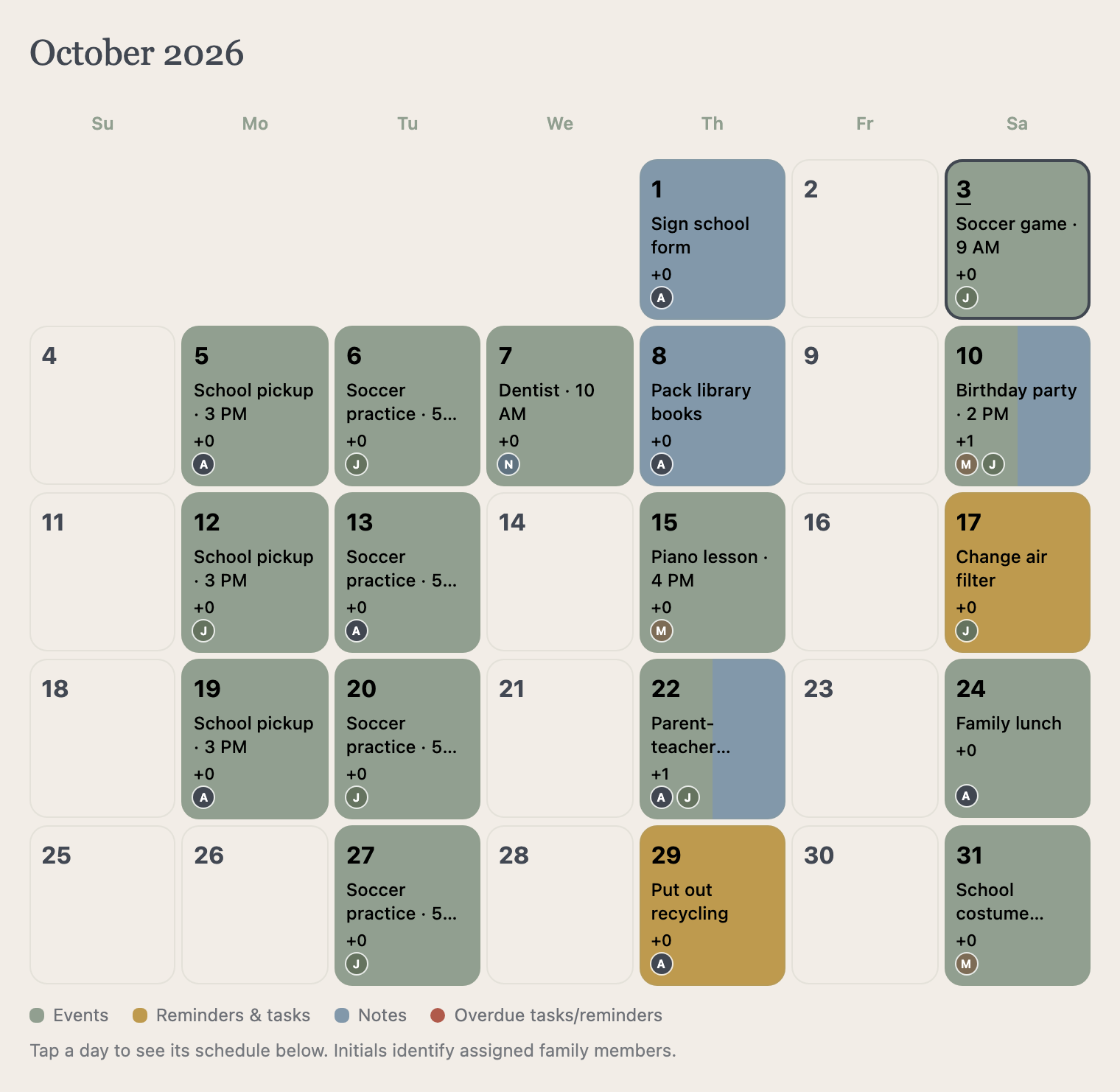
Actual app calendar
Scroll
Sound familiar?
The ride nobody confirmed. The filter nobody remembers changing. The shutoff nobody can find at eleven at night.
MyHouseKeep remembers, so you don't have to.
One ordinary week
Five moments every household knows.
Here is how each one goes with MyHouseKeep.
Thursday · 6:42 AM
Before anyone's shoes are on.
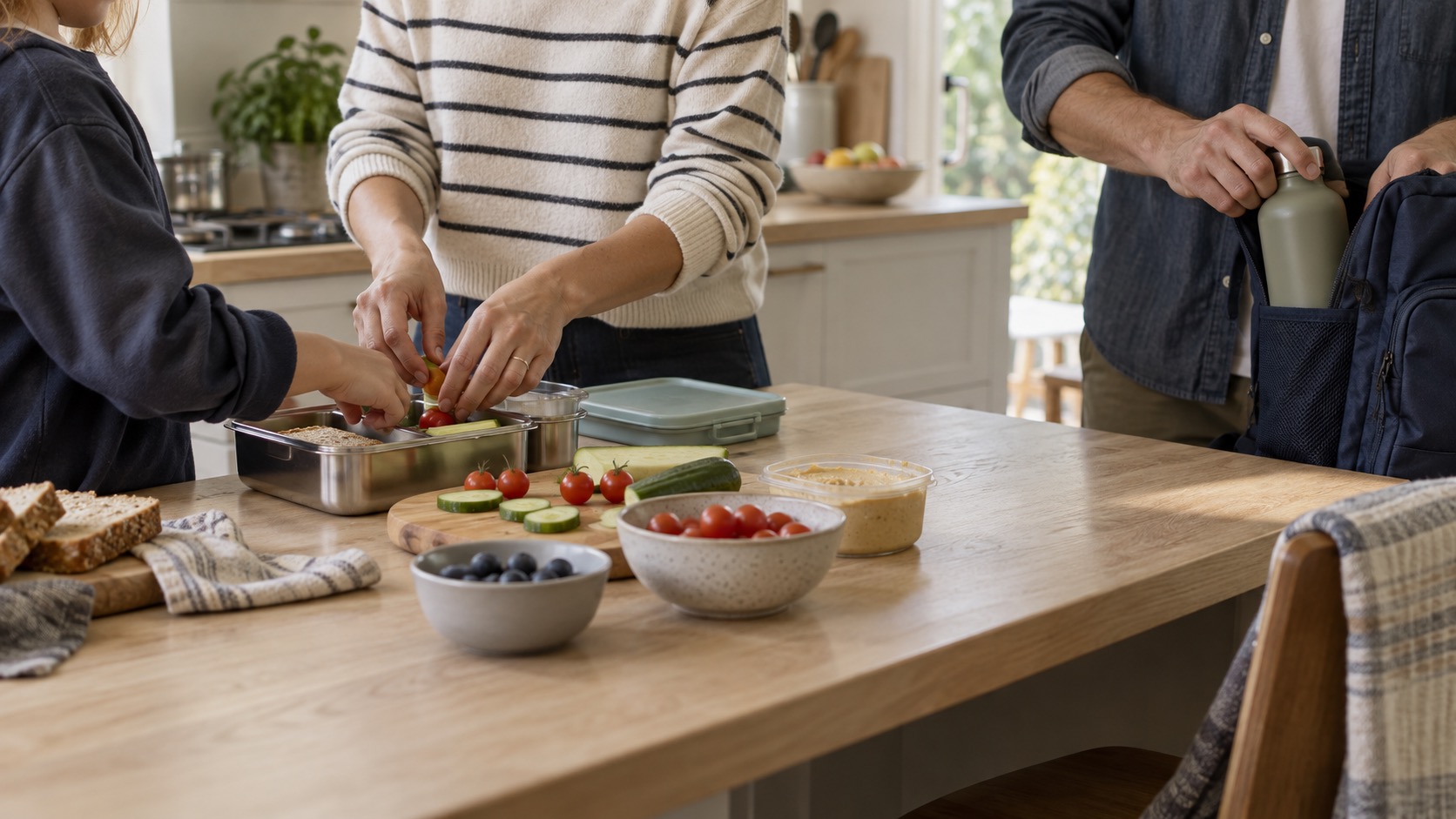
The permission slip. The water bottle. The dentist at nine-thirty that someone mentioned on Sunday. Mornings do not fail on the big things. They fail on the one detail that lived in a text thread.
In the app
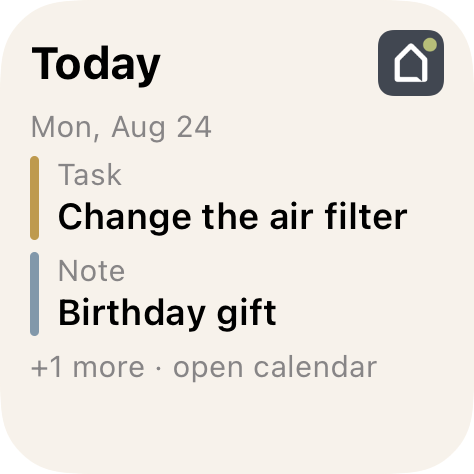
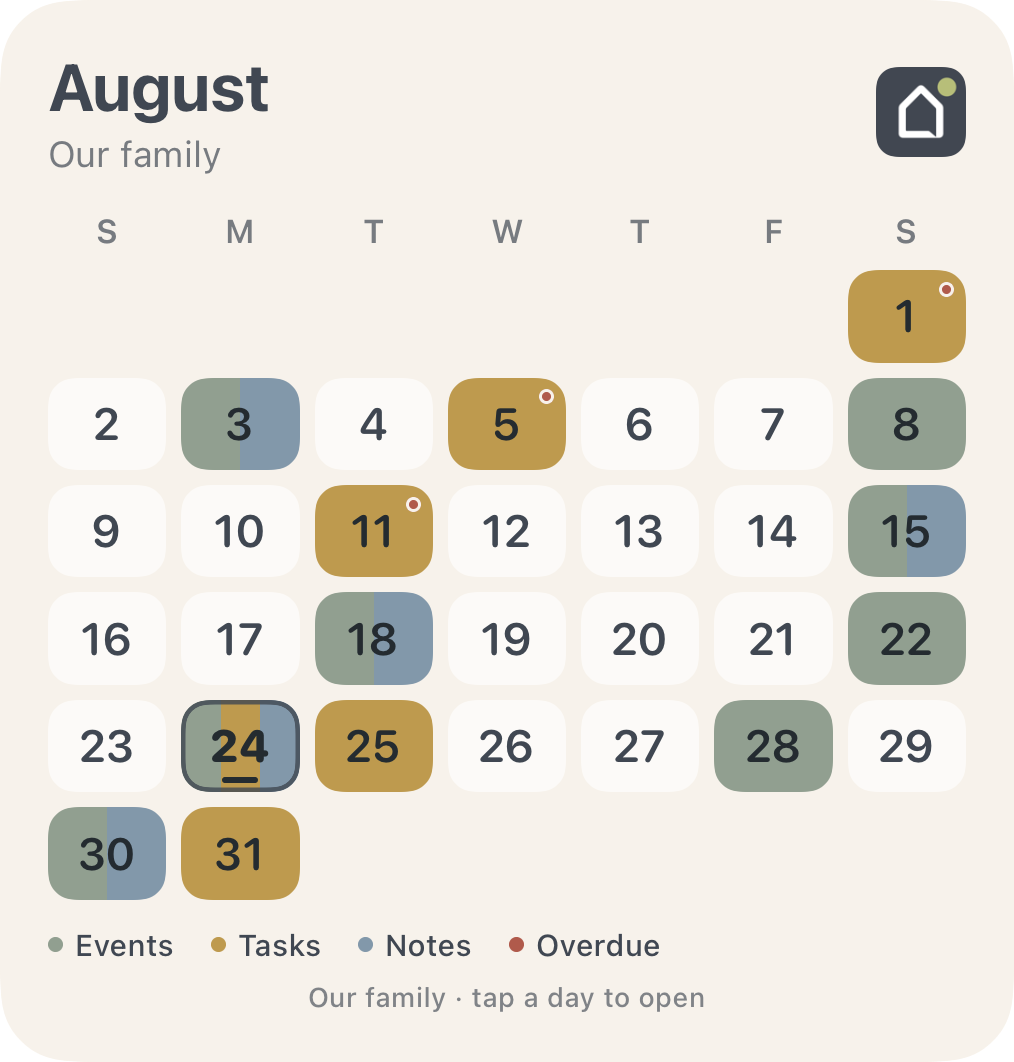
The day is already waiting on the Home Screen.
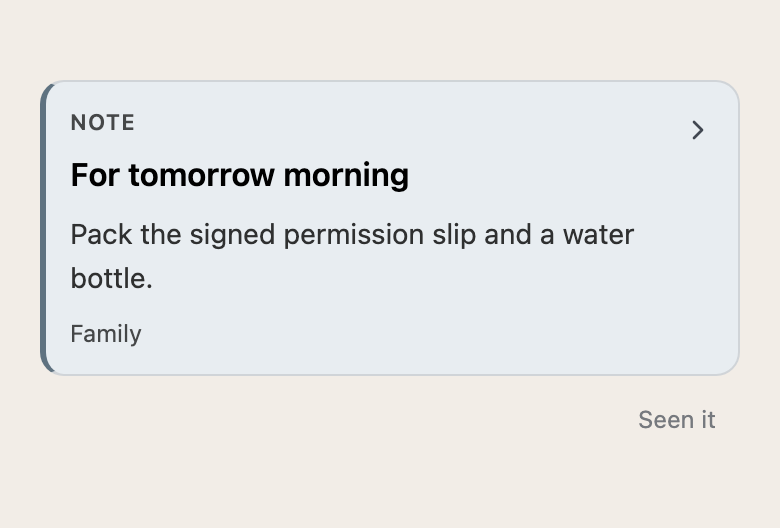
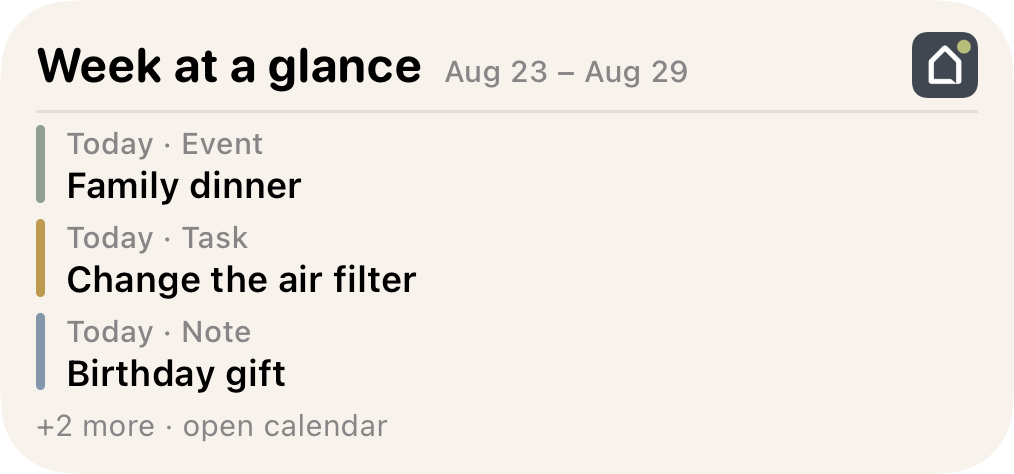
Leave a note the night before. Glance at the widget on the way out. Today, this week, or the whole month, without opening anything.
Actual app capture and iOS widget · example household
Thursday · 4:47 PM
"Who's taking them to practice?"
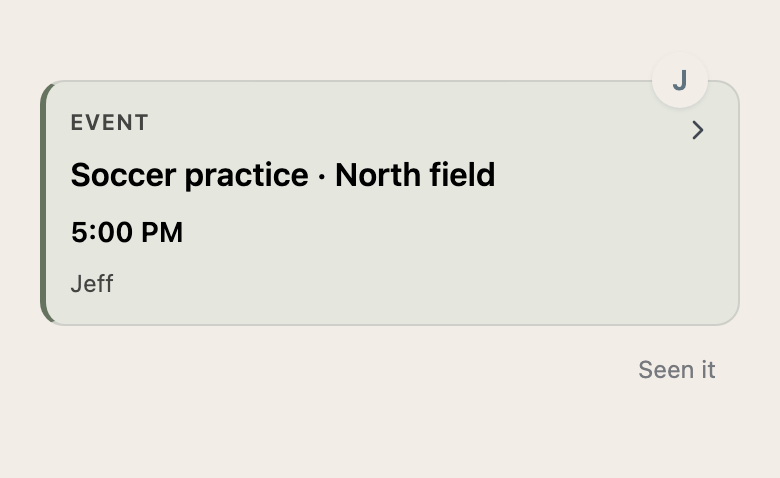
The time is in one message. The field is in another. Then it is five o'clock, and two people are each quietly assuming the other one is on the way. Nobody should be left standing at the field.
In the app
The plan, the place, and the person. Together.
Practice is at five. Jeff has the ride. The field and what to bring are saved with the event, and a quiet "Seen it" tells you he knows.
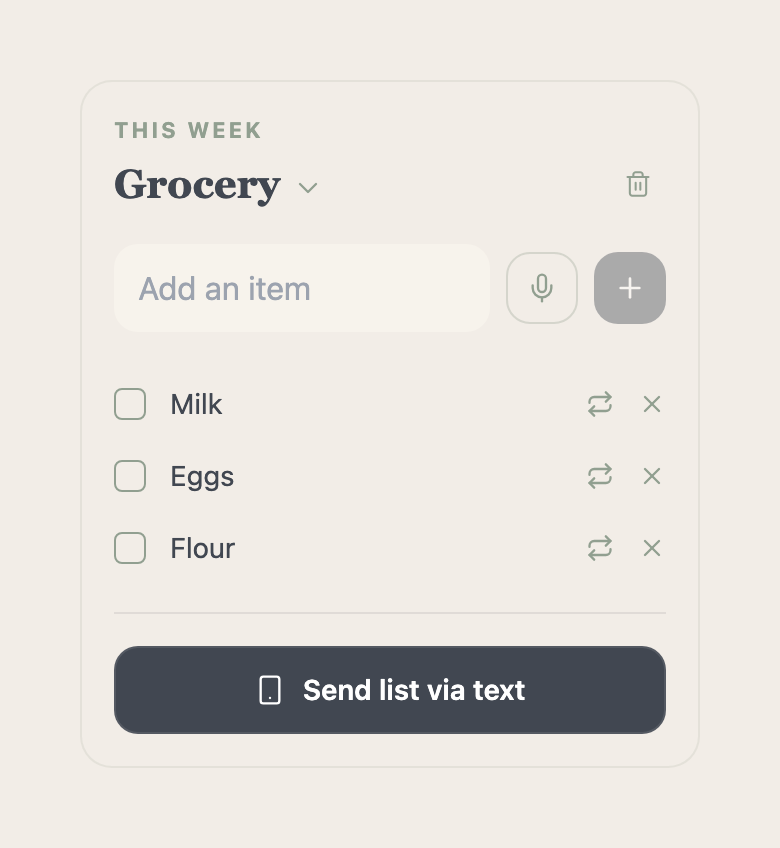
You are standing in aisle seven with one bar of signal and a feeling that it was either eggs or flour. The answer was on the fridge door. The fridge is four miles away.
In the app
The list is already there.
Your partner adds milk. You add school-lunch supplies. Whoever makes the stop sees what is needed without another message. Plus can text the list to an opted-in recipient.
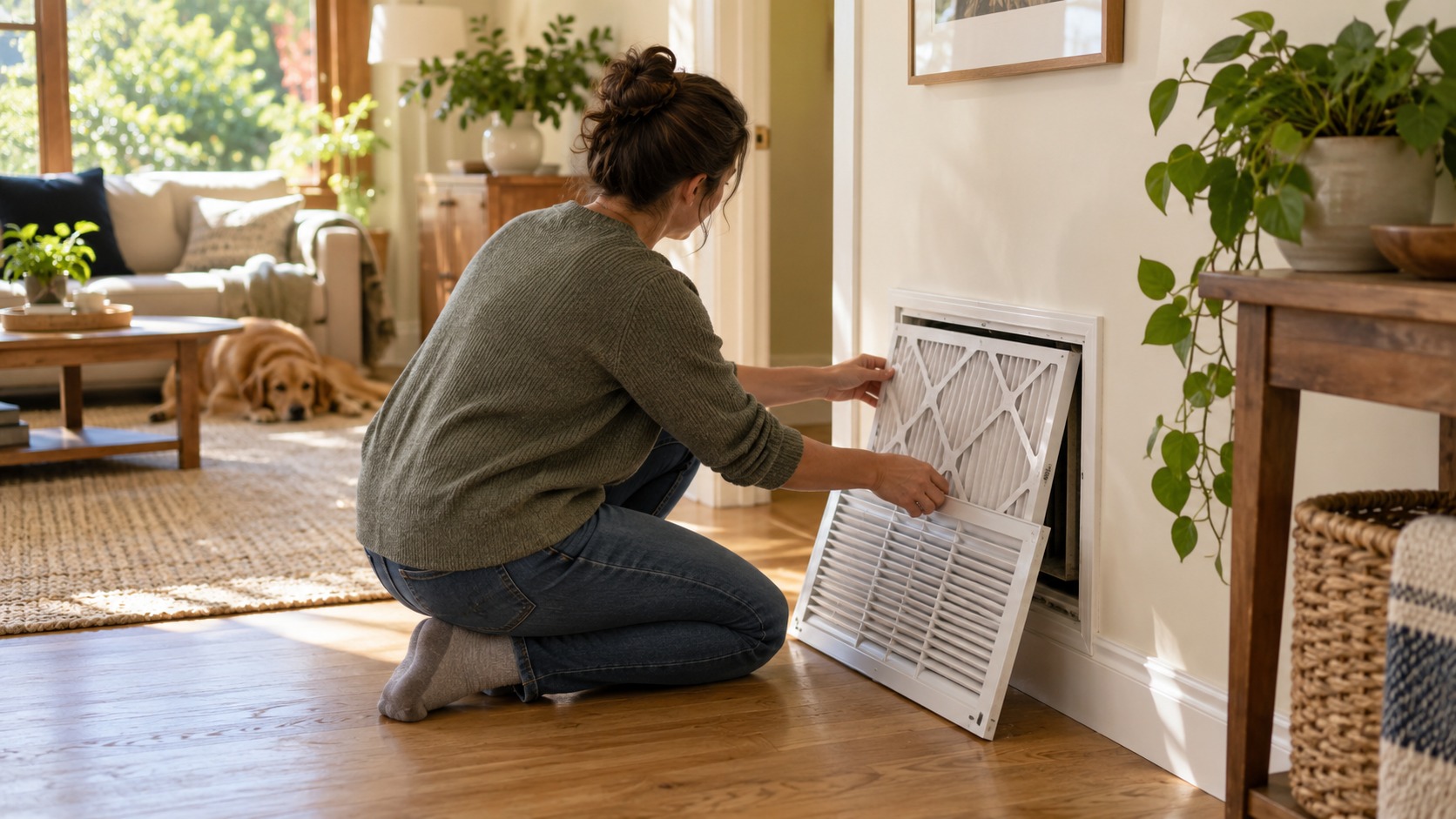
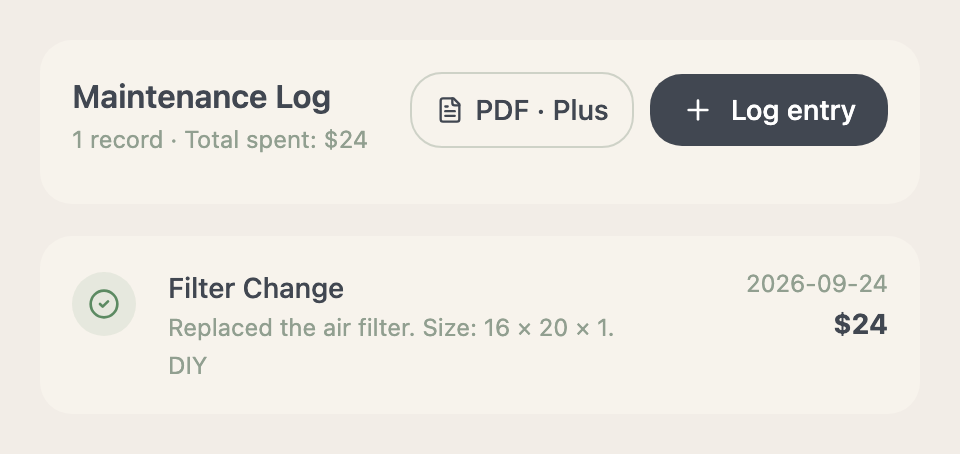
Nobody remembers, so it waits another few months. The air handler strains. A part that costs less than lunch quietly turns into a repair call. Not because anyone was careless. Because nobody wrote it down.
In the app
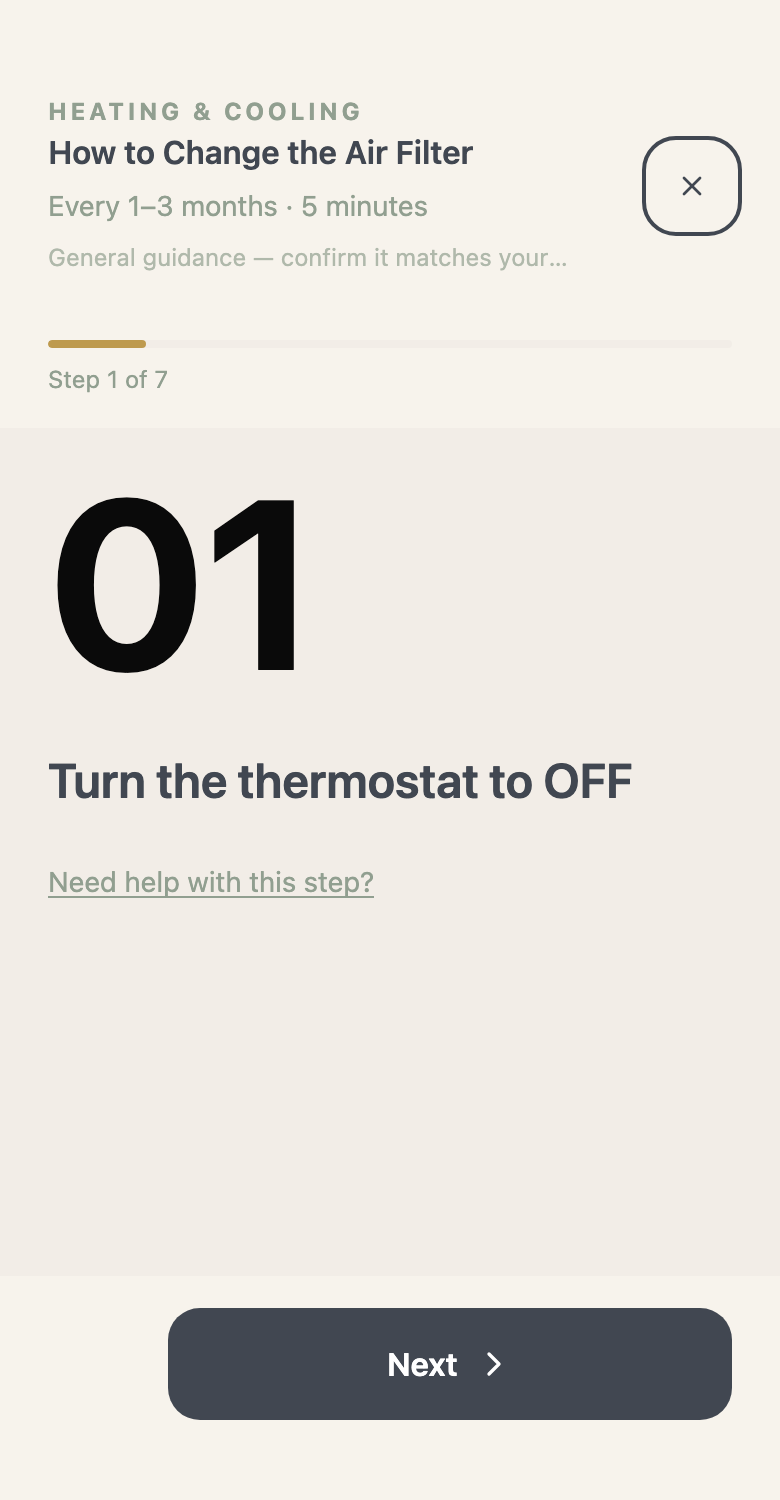
A five-minute job today. One less repair bill later.
Schedule it. The filter change sits beside soccer and dinner, not in your memory.
Open the guide. One clear instruction at a time, at your own pace.
Keep the record. A little care now can help your systems last longer and avoid repairs that never needed to happen.
General maintenance guidance only. Check it against your equipment and manual, and consult a licensed professional for safety-critical work.
Actual maintenance guide · example equipment
Sunday · 11:23 PM
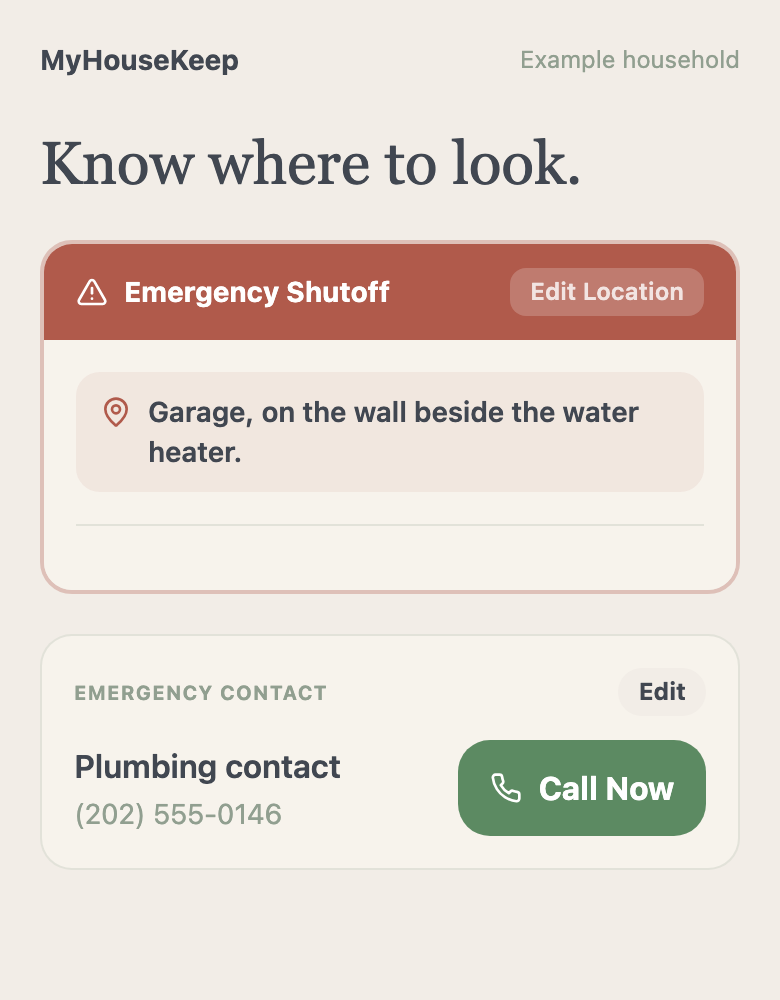
Water on the floor. Where is the shutoff?
This is the moment nobody plans for. Socks soaked, phone in one hand, searching for a valve you were shown once, on a walk-through, two years ago. Every minute is another gallon.
In the app
One tap. "Garage, on the wall beside the water heater."
Save the shutoff location and your emergency contact once, on a calm afternoon. On the worst night, the answer and the call button are already there.
Actual app capture · example household
A shared calendar, on the go
The family calendar that leaves the kitchen.
A calendar on the kitchen wall only helps the people standing in the kitchen. Plans change at the office, at the field, and in the checkout line. This one is in every pocket, so whoever is out is never the last to know.
01
Shared with everyone, wherever they are.Each person in your household has their own account on their own phone. Add a plan once and everyone sees it, with a name on who is handling it.
02
Trash night, handled.Pick your pickup day once. A weekly reminder lands on the calendar, so nobody hears the truck and runs for the bins.
03
It knows your house, too.Most calendars only hold appointments. The air filter and the next service date sit beside school pickup and soccer, on the day they are due.
Actual app capture · fictional household
Home Screen widgets
Check the day before you head out.
Family dinner, the air filter, the birthday gift. Put the day, the week, or the whole month on your iPhone Home Screen and see it without opening the app.
Actual Home Screen widgets · iOS 17 or later · fictional household
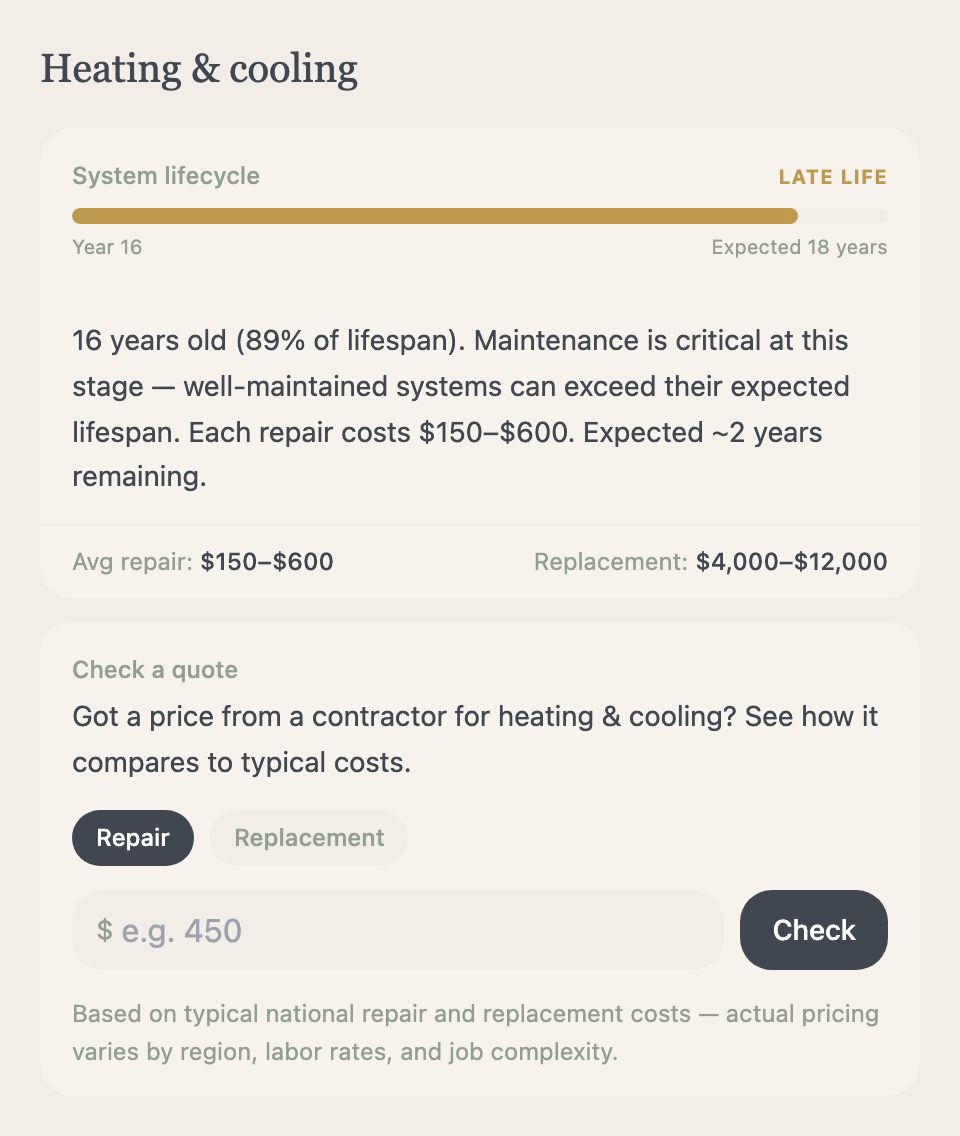
The expensive repairs rarely start big. They start as a filter nobody changed and a service date nobody wrote down. MyHouseKeep keeps the small jobs on schedule, and every one of them on the record.
01
Skip the repairs you could have avoided.Reminders arrive on the day a job is due, with the steps to do it. Regular care can help you catch small problems before they become repair calls.
02
Help your systems last longer.See each system's age against its expected lifespan. Well-maintained equipment can outlast it, and every extra year is a replacement you have not paid for yet.
03
Never overpay on a guess.Review estimated repair and replacement ranges where available, and check a contractor's quote before you say yes.
General guidance, not a guarantee. Results depend on your equipment and conditions. Estimates are a starting point for planning, and actual timing and prices vary.
Actual app captures · example equipment
A quick question
Your furnace is leaking. Who do you call?
It is an HVAC technician. Water on the floor makes most people think plumber, and the wrong call can mean paying a visit fee to someone who cannot fix it.
The right professional
It already knows who to call.
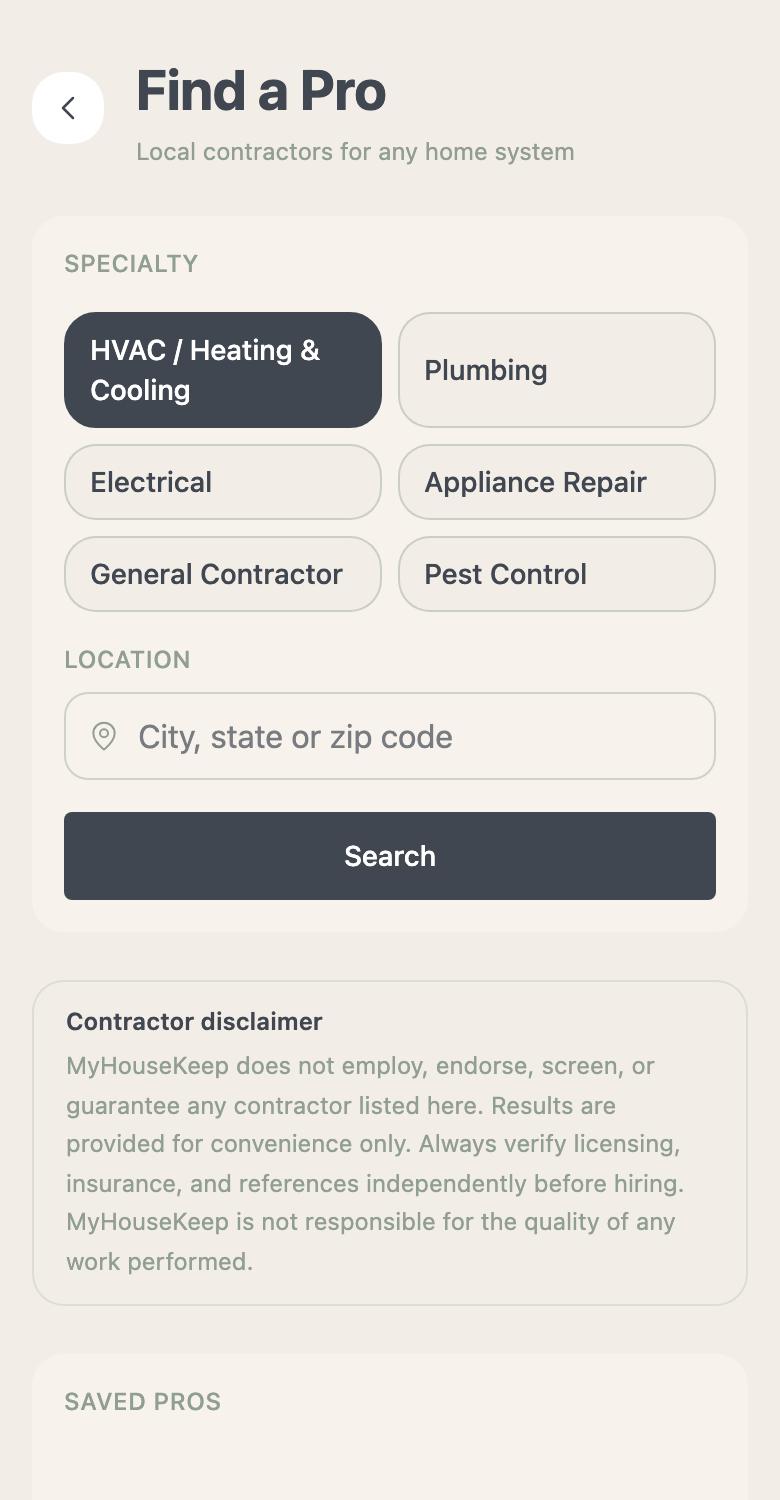
MyHouseKeep knows which trade each of your systems needs. Tap Find a Pro from the task and it searches that specialty near you, with ratings, a number to call, and a link to check a license in your state where available. Save the good ones for next time.
The right part
No more guessing in the filter aisle.
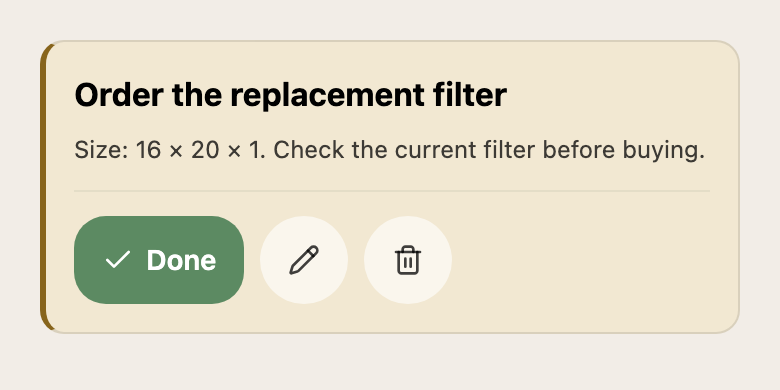
Forty sizes on the shelf and no idea which is yours. The app saved it: 16 × 20 × 1. When a job needs a part, tap to shop and the search is already filled in with your size and your equipment's details.
MyHouseKeep does not employ, endorse, or guarantee any contractor. Always verify licensing, insurance, and references yourself, and confirm a part matches your equipment before buying.
Actual app captures · example household
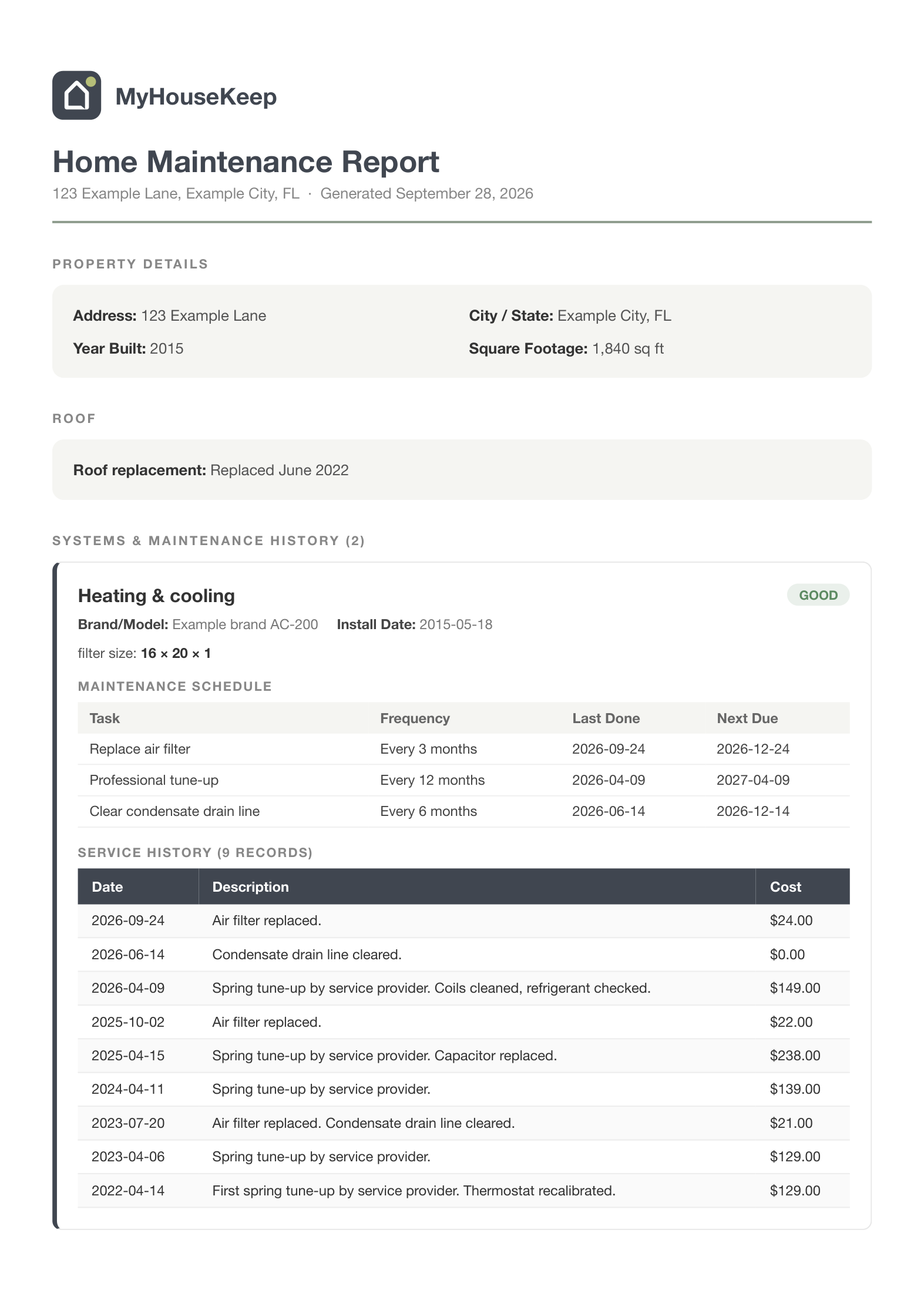
Actual example report · fictional home
When it is time to sell
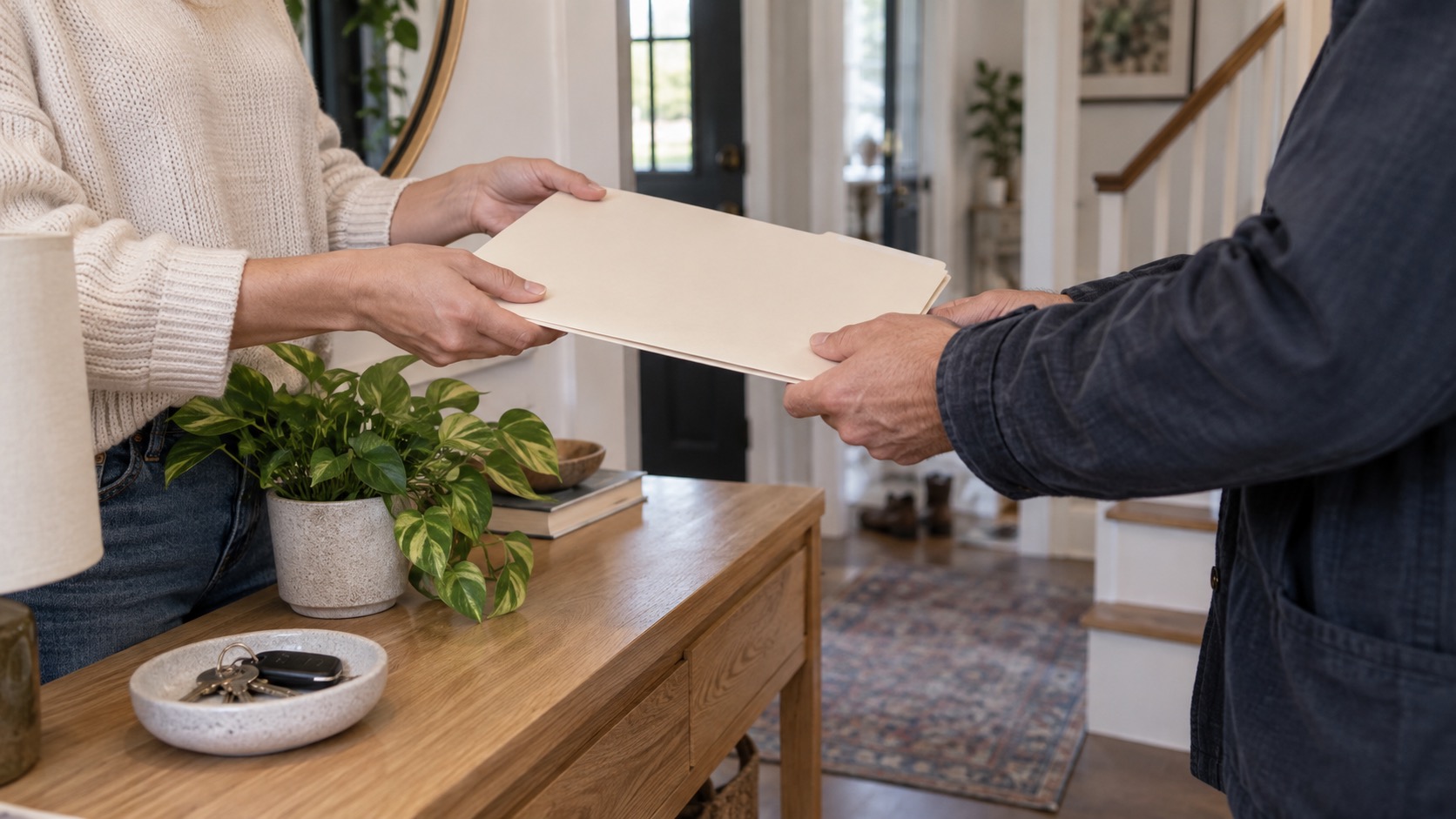
Hand the buyer the whole story.
Every buyer asks the same thing: what has been done to this house, and when? Most sellers answer with a drawer of receipts and a guess.
You hand over a full maintenance report. Proof that the home was cared for is hard to argue with, and it gives a buyer a reason to trust your price.
01
Every system, by name.Brand, model, and install date for the equipment a buyer worries about most.
02
Every job, with a date.Years of tune-ups, filter changes, and repairs. What was done, when, and what it cost.
03
What is due next.The maintenance schedule carries on, so the new owner knows where to start.
The PDF home record is part of MyHouseKeep Plus. Your records and history are free to keep.
For renters & roommates
It's your home, even when it isn't your house.
Rent is due on the first. Somebody finished the milk. The bathroom fan has been broken for three weeks, and everyone assumes someone else told the landlord.
Rent, remembered.Enter the day your rent is due once. A monthly reminder lands on the calendar, so the first never sneaks up on the house.
02
One list for a shared kitchen.Everyone adds what is running low. Whoever is at the store sees it. Put trash night and shared jobs on the calendar with a name on each.
03
A clear record for your landlord.Flag a note "For landlord" when something breaks and keep their contact saved with the home. Track requests and updates, so you can show what you reported and when.
A note from our family
Built for our family. Made to help yours.
We built MyHouseKeep to keep our family's schedule and our home's maintenance in one place. School plans, shared errands, service dates, and warranties were spread across too many notes and messages.
We wanted everyone to find the plan without asking, and the home's details without searching. That is why the calendar and the home record belong together.
From our family to yours.
Family-owned. Independently built.
Getting started
Three steps. Then you are home.
1
Download the app.
Get MyHouseKeep from the App Store or Google Play. The essentials are free.
2
Create your account.
Use your email, or continue with Apple or Google. No payment, and no waiting for anyone to let you in.
3
Add your home.
Own it or rent it, start with what you know. The rest can wait until it matters.
Then add one plan, one grocery list, or one detail about your home. Invite your household whenever you are ready.
Available on iPhone and Android in the United States.
Before you make yourself at home
A few things you might be wondering.
Do I need to organize the whole home first?
No. Create your account, add your home, and start with one shared plan, grocery list, or home detail. Invite your household using their own accounts, then add more when it helps.
Can I start without a subscription?
Yes. Shared calendars, notes, manual home records, and standard app reminders are available free. Plus adds PDF reports and other features and allowances.
How do I get started?
Download MyHouseKeep from the App Store or Google Play, then create your account in the app with your email, or continue with Apple or Google. Nobody has to sign off on it and there is no line to wait in. You can be adding your home a minute from now.
Does it work if I rent?
Yes. Shared plans, lists, notes, reminders, and the details of the place you live work the same whether you hold a deed or a lease.
Ready when you are
Come home to less to remember.
Start with the next thing you need to remember. One plan, one list, or one detail about your home.
 MyHouseKeep
Get the app
MyHouseKeep
Get the app